
Course structure
The course is three modules, not counting the introduction you are reading right now. Each module works like a mini-course: it takes its own group of topics and sees them through.
- Fundamentals of Python I — variables, data types, functions, conditions, loops and collections. The things every Python program is built from.
- Fundamentals of Python II — libraries and modules, working with files, classes and objects, exceptions, decorators, dates.
- Advanced Python — databases, testing, threading and async.
The order is not arbitrary: each module stands on the one before it. In the second you will write functions and loop over lists from the first, and the third does not hold together without them. If the basics are already familiar, skim what you know — but don't start in the middle.
The code block
Almost every article has a code block in it. It looks like this:
Python 3.13print("Hi, I love Python 😊")Hi, I love Python 😊
The line marked with >_ is not code any more — it's the result: what Python printed after running the line above. So read the block top to bottom: first what we asked for, then what came back.
Four icons live in the top right of the block:
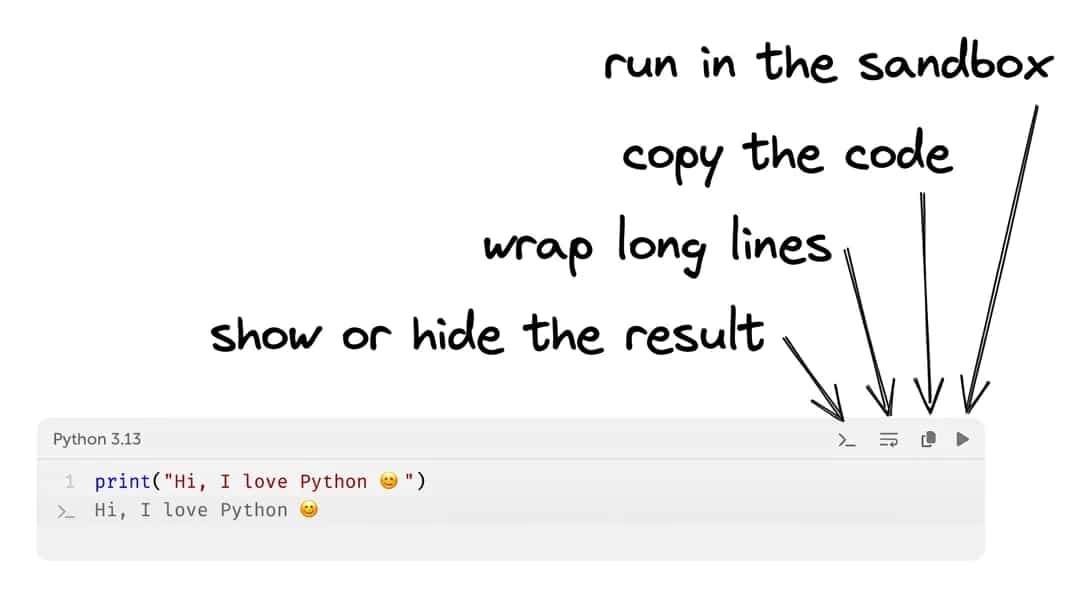
The ▶ icon isn't on every block — only on the ones whose code can be run. It opens the code in the sandbox: a separate tab where you can change it and run it as many times as you like.
One detail about ▶: it sends only its own block to the sandbox, nothing more. So every example is self-contained — everything the code needs is declared right in it, and you can run the blocks in any order.
Self-testing tasks
Not in every article, but in many — especially in "Fundamentals of Python I" — a block of tasks waits at the end:
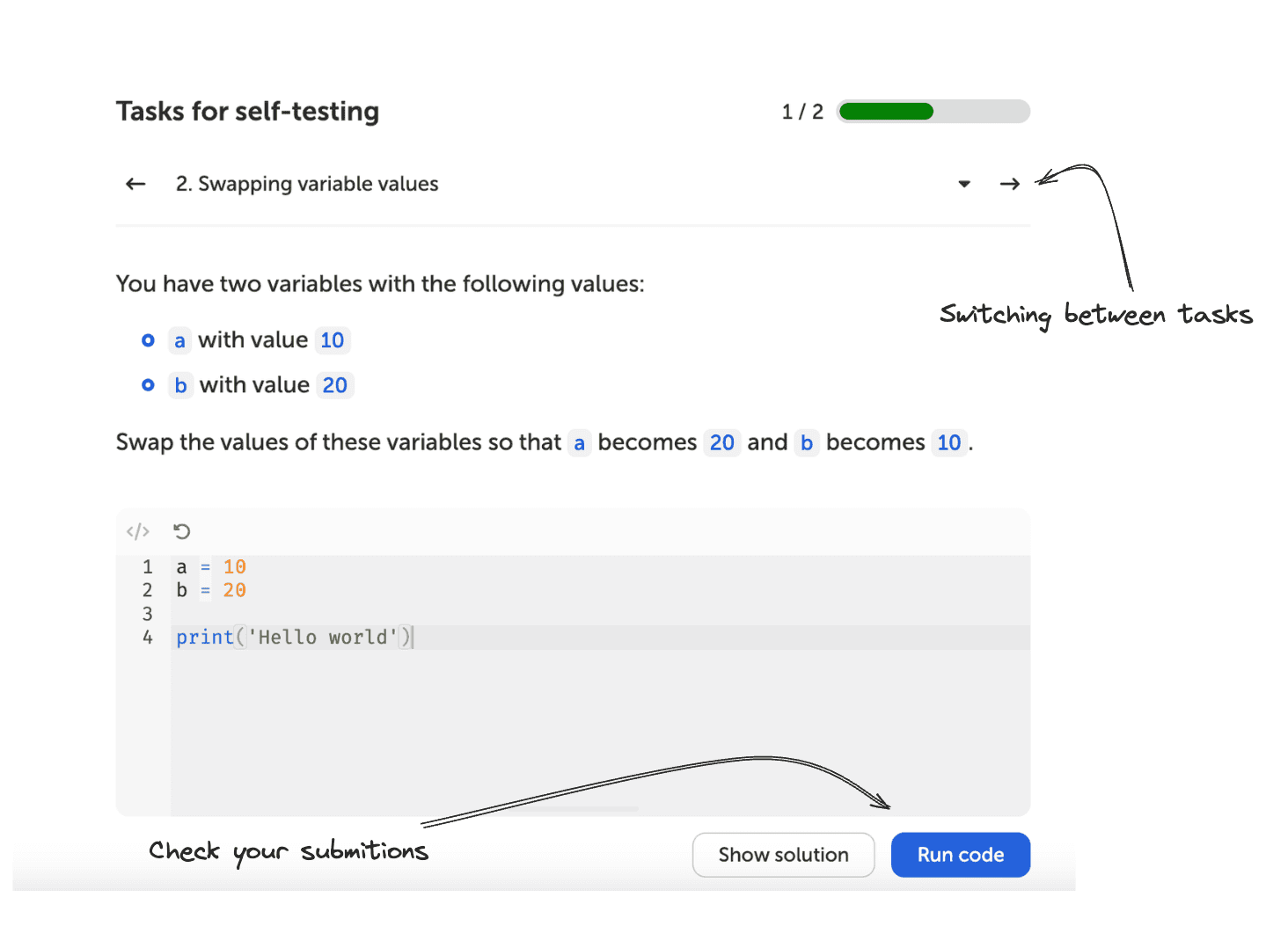
Don't skip them. Reading about a loop and writing a loop are different things, and you only find out which is which at the keyboard 🎓.
Log in before you start, otherwise your solutions won't be saved.